
How to Choose Commercial Office Chairs in 2026?
Choosing commercial office chairs in 2026 requires more than comparing prices, colors, and brand names. A chair may look impressive in a showroom yet feel uncomfortable after three hours of reports, video calls, and spreadsheet work. The right choice should support different body sizes, working habits, and desk arrangements. It should also survive daily use without loose armrests, flattened foam, or noisy mechanisms.
Ergonomist Alan Hedge has said, “There is no such thing as a one-size-fits-all chair.” That principle remains important for modern workplaces. Buyers should examine adjustable seat depth, lumbar support, armrest height, backrest movement, and reliable casters. A mesh back may improve airflow, while a well-padded seat can feel better during long administrative tasks. However, comfort depends on the individual. What works for a tall employee may pressure a shorter user’s knees. This is where real testing matters. Employees should sit, adjust, recline, and move before a large purchase is approved.
Quality evidence also deserves attention. Look for documented durability testing, transparent warranty terms, replacement-part availability, and recognized office-furniture standards, such as BIFMA testing where applicable. Ask suppliers how the chairs performed in busy environments, not only in demonstrations. The cheapest option may become expensive when repairs and staff discomfort accumulate. Our first shortlist may still be wrong. That is acceptable. A small pilot group can reveal problems that product pages hide. In 2026, the best commercial office chairs will balance ergonomic support, long-term value, maintainability, and the everyday reality of changing workplaces.

Define Workplace Needs and Chair User Requirements
How to Choose Commercial Office Chairs in 2026?
Choosing commercial office chairs starts with workplace needs, not appearance. Observe how employees work during a normal day. Some type continuously, while others attend meetings or handle phone calls. A finance worker may need firm lumbar support. A creative team may value easier movement. Different tasks need different support.
Measure each workstation before ordering chairs. Check desk height, legroom, monitor position, and available floor space. Record user height, body shape, and mobility concerns. Adjustable seat depth, armrests, back support, and seat height can serve more people. Small details matter. A chair that feels comfortable for ten minutes may become tiring after six hours.
Consider cleaning routines, daily usage, and repair access. Shared offices need durable surfaces and simple adjustments. High-use areas may require stronger frames and replaceable parts. Test chairs with real employees, not only purchasing staff. Ask users to work, reach, turn, and stand naturally. Their feedback may challenge your assumptions. A perfect chair rarely exists. I have seen teams choose attractive models that blocked knees under the desk. That mistake was avoidable. Trial periods also reveal problems, including heat buildup or difficult controls. Document these findings before approving a larger purchase. Reliable decisions come from user evidence, clear measurements, and practical observation.
| Workplace Need | Typical Users | Daily Sitting Pattern | Recommended Chair Requirements | Useful Specification Range | Priority |
|---|---|---|---|---|---|
| Assigned Workstations | Employees with a fixed desk and computer-based duties | 6–8 hours per workday, with regular keyboard and screen use | Adjustable seat height, adjustable lumbar support, height-adjustable armrests, synchronized recline, stable five-star base, and breathable back material |
Seat height: 400–520 mm Back recline: approximately 90°–120° Seat depth adjustment: at least 40 mm |
High |
| Shared or Hot-Desk Areas | Multiple users with different body sizes and work habits | Short to medium sessions, often several times per day | Fast, intuitive adjustments; wide seat-height range; easy-clean upholstery; durable casters; clear adjustment markings; and simple user instructions |
User setup time: under 2 minutes Seat height adjustment: at least 100 mm Weight capacity: minimum 120 kg |
High |
| Call and Customer-Service Centers | Users who remain seated for long periods and frequently use headsets | 7–9 hours per workday with limited movement during calls | Strong lumbar adjustment, breathable materials, adjustable armrests, smooth recline tension, pressure-relieving seat foam, and quiet casters |
Recline lock: at least 3 positions Seat width: approximately 450–520 mm Base rotation: 360° |
High |
| Collaborative and Project Zones | Teams moving between desks, meeting areas, and shared screens | 1–4 hours at a time with frequent posture changes | Compact footprint, easy mobility, moderate back support, durable upholstery, quiet movement, and a recline function that supports informal discussion |
Chair weight: preferably below 18 kg Caster clearance: suitable for the floor type Back recline: approximately 100°–115° |
Medium |
| Meeting and Conference Rooms | Employees, visitors, and clients with varied body sizes | 30–120 minutes per meeting | Comfortable fixed or limited-adjustment design, supportive backrest, quiet casters or glides, easy cleaning, and coordinated appearance |
Seat height: approximately 430–480 mm Minimum static load: 110 kg Recommended seat edge: waterfall profile |
Standard |
| Executive or Private Offices | Managers and professionals combining desk work with meetings | 4–8 hours per workday with frequent task changes | Full-height backrest, adjustable lumbar support, synchronized recline, durable upholstery, adjustable armrests, and a stable premium-feel frame |
Recline range: approximately 90°–120° Seat depth: approximately 420–500 mm Armrest adjustment: height and width preferred |
High |
| Design, Engineering, and Multi-Screen Work | Users who alternate between monitors, documents, and precision tasks | 5–8 hours per workday with frequent forward and sideways reaching | Adjustable armrests, flexible lumbar support, responsive recline, stable seat pan, smooth 360-degree rotation, and compatibility with monitor and desk height |
Armrest height adjustment: approximately 70–100 mm Seat depth adjustment: 40–60 mm Recommended back height: at least 550 mm |
High |
| Accessibility-Focused Workstations | Users requiring easier transfers, additional stability, or individualized support | Varies according to job role and individual needs | Wide adjustment range, easy-to-operate controls, firm seat edge, stable five-star base, optional removable armrests, and compatibility with mobility equipment and accessible desk heights |
Controls: operable with one hand Seat height: preferably below 450 mm when needed Clearance: verify desk and transfer requirements individually |
High |
| High-Traffic Commercial Environments | Users in education, healthcare administration, reception, and public offices | Repeated use by different people throughout the day | Abrasion-resistant covering, reinforced casters, replaceable components, easy-clean surfaces, strong frame construction, and documented maintenance procedures |
Recommended durability: commercial-use tested Upholstery: stain-resistant and cleanable Warranty and spare parts: verify before purchase |
High |
| Climate-Controlled Offices | Users working in standard indoor office environments | Year-round use with relatively stable temperature and humidity | Breathable mesh or ventilated fabric for warm conditions; adjustable tension for different user weights; materials that tolerate routine cleaning |
Back ventilation: open or breathable construction Cleaning cycle: define weekly or monthly schedule Room temperature: assess seasonal comfort needs |
Medium |
| Selection checkpoint: Before placing a commercial order, test chairs with users representing the expected height, weight, mobility, and work patterns. Confirm desk compatibility, adjustment instructions, cleaning requirements, replacement-part availability, and applicable workplace safety or ergonomic standards. | |||||
Related Posts
-
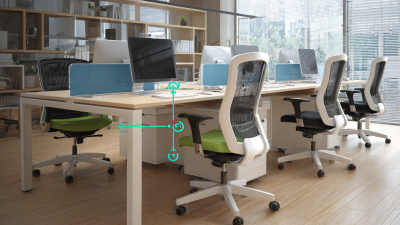
Unlocking Comfort and Productivity with the Best Office Chairs Specifications and Setup Guide
-
Finding the Right Manufacturer for Premium Office Chairs to Enhance Workplace Comfort
-

15 Best Office Supplies Chairs for Ultimate Comfort and Productivity
-
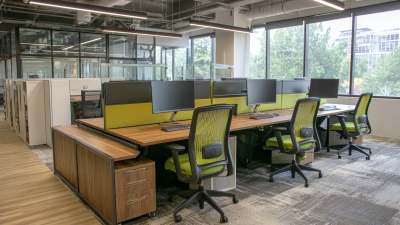
Ultimate Guide to Sourcing High-Quality Office Furniture Chairs for Your Business Needs
-
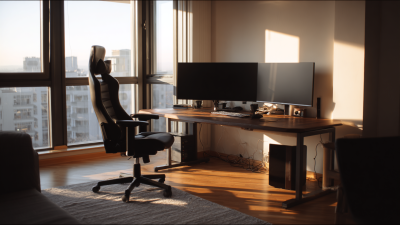
10 Essential Tips for Choosing the Perfect Office Table and Chair for Productivity
-
Top 10 Home Office Furniture Ideas for a Productive Workspace