What Is Home Office Furniture and What Should Buyers Know?

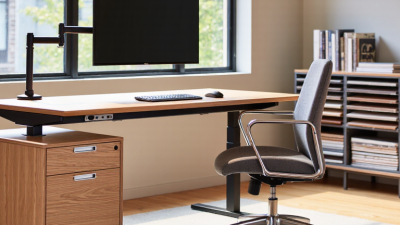
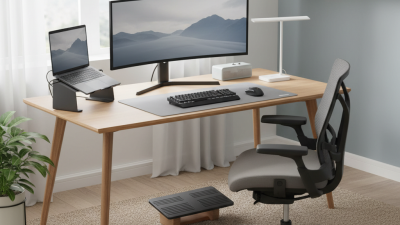
Home office furniture is no longer limited to a desk and an office chair. It now includes ergonomic seating, adjustable desks, storage units, monitor stands, lighting, and cable management tools. These pieces shape how people work, focus, and recover during long hours at home.

Workplace ergonomics expert Alan Hedge offers a useful reminder: “The best posture is the next posture.” His point changes how buyers should evaluate home office furniture. A chair should support movement, not force the body into one fixed position. A desk should leave enough space for elbows, documents, and a keyboard. The monitor should sit near eye level, reducing the familiar downward neck angle.

Practical details matter. A desk that wobbles during typing becomes irritating quickly. A chair with firm lumbar support may feel uncomfortable at first, yet provide better stability later. Soft cushions can look inviting, but they may trap heat after several hours. Price matters, too. Expensive furniture is not automatically ergonomic, and budget furniture is not always poorly designed.

Buyers should measure the room, check weight limits, inspect adjustment ranges, and read return policies carefully. A beautiful setup can still fail when drawers block a doorway or sunlight reflects across the screen. I have seen people prioritize appearance and regret it within weeks. That choice is understandable, but incomplete. The best purchase balances comfort, durability, workspace size, and daily habits. This guide explains what home office furniture includes and what informed buyers should examine before spending money.
What Is Home Office Furniture and What Should Buyers Know?

Definition and Scope of Home Office Furniture

Home office furniture includes the movable pieces that support work, study, and communication at home. Its scope reaches beyond a desk and chair. It can include monitor stands, filing units, task lighting, shelves, storage cabinets, and cable management tools. Each item should serve a practical purpose. A compact desk may suit a bedroom corner, while a larger work surface supports writing, screens, and paperwork. The room’s size, lighting, noise level, and daily workload also shape suitable choices.

Good furniture supports comfortable posture and efficient movement. An adjustable chair can help keep feet stable and shoulders relaxed. A desk should leave enough space for the keyboard, documents, and a drink. Storage reduces visual clutter, but too much storage can make a small room feel crowded. My own workspace taught me that attractive furniture is not always useful. I once chose a narrow shelf that looked elegant, yet it could not hold ordinary folders.

Tips: Measure the room before buying. Sit at the desk for several minutes. Check whether drawers open fully. Look for stable construction, smooth edges, and easy-clean surfaces. If possible, test chair adjustments in person. Online measurements can mislead, especially when product dimensions exclude handles or wheels. Consider future needs, too. A temporary laptop setup may become a permanent workstation. A modest budget does not require poor quality, but rushed decisions often create discomfort. It is wise to question whether every piece earns its space.

Essential Furniture Categories for a Functional Home Office

A functional home office begins with a desk that fits both the room and the work. Choose a surface deep enough for a monitor, keyboard, notebook, and a little breathing space. Adjustable height can support changing positions during long working periods. I once used a narrow table that looked tidy but forced my elbows inward. It became uncomfortable within an hour. Measure twice.

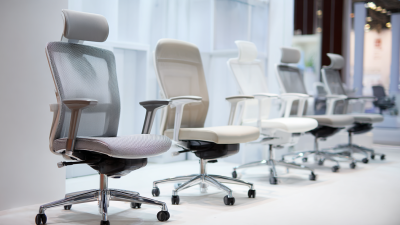
A supportive chair is equally important. Look for adjustable seat height, lumbar support, and armrests that let your shoulders relax. Your feet should rest flat on the floor or on a stable footrest. Comfort should not depend on appearance alone. A beautiful chair may still encourage poor posture. Test the settings if possible, and notice pressure behind the knees. Small details matter.

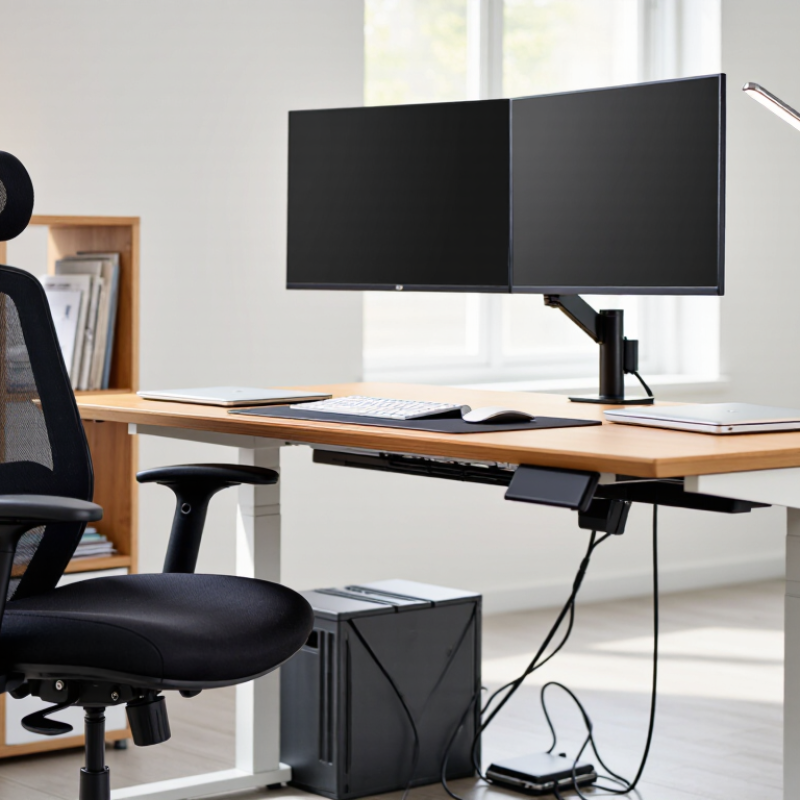
Storage keeps work materials visible but controlled. Drawers, shelves, or a compact cabinet can separate documents, cables, and personal items. Keep frequently used tools within easy reach. Lighting deserves its own category, not an afterthought. Place a desk lamp beside the screen to reduce harsh shadows, while daylight should approach from the side. Add a monitor stand or laptop riser to bring the screen closer to eye level. Cable management improves safety and reduces visual clutter. Still, perfection is unrealistic. Leave some flexible space for changing equipment, unfinished projects, and real daily habits.

How to Choose Furniture Based on Space and Work Needs

Home office furniture should fit your room, work habits, and daily movement. Measure the available floor area before shopping. Leave enough space to pull out a chair and open drawers comfortably. A compact desk may suit a narrow room, while a wider surface supports two screens, paperwork, and writing tools. I once chose a desk by appearance alone. It looked elegant, but its shallow surface made daily work frustrating.

Work needs should guide every furniture decision. A remote designer may need monitor depth and cable management. Someone handling documents may need drawers or a larger desktop. Choose a chair with adjustable height, steady lumbar support, and a seat that allows your feet to rest flat. Position the screen near eye level, then keep frequently used items within easy reach. These details reduce unnecessary twisting and reaching. Still, comfort is personal. A recommended setup may require small adjustments after several workdays.

Tips: Measure twice. Mark the desk footprint with tape before buying. Test your sitting posture for thirty minutes, not five. Keep walking paths clear, especially near doors and windows. Consider lighting changes during the day. A desk that feels perfect at noon may create glare in the afternoon. Avoid filling every corner with storage; an organized room can still feel crowded. Reassess the arrangement after one week.

Home Office Furniture: Choosing by Space and Work Needs

Typical planning dimensions for common home-office desk setups. Use the available room width, working equipment, and required storage to select the most suitable layout.

Dimensions are representative planning figures in centimeters. Compact desks suit laptops and smaller rooms; deeper and wider desks provide more room for monitors, documents, and other work equipment.

Materials, Ergonomics, Durability, and Design Considerations

Home office furniture includes desks, task chairs, monitor stands, storage units, and lighting designed for extended computer work. The need is substantial: the U.S. Bureau of Labor Statistics reported that 35% of employed people worked at home on an average day in 2023. Materials therefore affect comfort, maintenance, and indoor air quality. Solid wood offers repairability, while powder-coated steel resists scratches. Recycled panels can reduce resource use, but buyers should check emissions testing and edge durability. “Eco-friendly” is not enough.

Ergonomics should fit the person, not merely the room. OSHA guidance recommends keeping the monitor near eye level, supporting the lower back, and allowing feet to rest flat. A chair with adjustable seat depth and arm height is more useful than thick padding alone. Place the keyboard near elbow height. Keep frequently used tools within easy reach. Small details matter. ANSI/BIFMA performance standards provide useful durability benchmarks for desks and seating, including stability and load testing. Still, certification does not guarantee personal comfort. I have seen attractive chairs create pressure behind the knees after an hour. That flaw appears only through real use. Buyers should test a seated position for at least twenty minutes, inspect joints and moving parts, and measure the desk against their actual monitor, keyboard, and cable setup. A beautiful workstation can still encourage slouching.

Budget, Maintenance, and Safe Purchasing Practices

Home office furniture includes desks, task chairs, storage units, monitor stands, and lighting. The right choices support posture, concentration, and daily movement. Budgeting should begin with measurements, not advertisements. A compact desk may cost less, yet poor knee clearance can create replacement costs later. The U.S. Bureau of Labor Statistics Consumer Expenditure Survey tracks household spending on furnishings, but it does not measure ergonomic value. Buyers must judge function themselves.

Maintenance protects that investment. Check screws monthly, especially on adjustable desks and rolling chairs. Clean laminate surfaces with a damp cloth, while fabric needs vacuuming and prompt stain treatment. Do not ignore small wobbling. It often becomes expensive damage. A reasonable budget should include delivery, assembly, floor protection, and replacement parts. My own practical mistake was choosing the cheapest chair first. Its padding flattened quickly, and the “saving” disappeared.

Safe purchasing requires evidence. Look for published weight limits, stability testing, material details, and clear warranty terms. BIFMA’s furniture standards provide recognized performance benchmarks for desks and seating. The U.S. Consumer Product Safety Commission also advises checking product recalls before purchase. Indoor air quality deserves attention. The U.S. Environmental Protection Agency reports that indoor pollutant levels can be two to five times higher than outdoors. Low-emission materials may therefore matter in small rooms. Avoid vague safety claims. Request documentation. A five-minute inspection can reveal sharp edges, unstable bases, exposed cables, or missing instructions. Costs vary, but unsafe shortcuts are rarely cheap.

We have the largest selection of new, remanufactured and quality pre-owned office furniture in the tri-state area.  We ship nationwide with regular deliveries to Pittsburgh, Erie, Uniontown, Washington, Akron, Cleveland, Beckley, Charleston, Clarksburg, Huntington, Morgantown, Parkersburg, Wheeling, Ashland, Ironton, and Lexington.

PITTSBURGH, PA

Showroom & Corporate Offices
1 Sexton Road
Pittsburgh, PA 15136

Local: (412) 771-0760
Fax: (412) 771-0764

WHEELING, WV

By Appointment Only
Local: (304) 232-0727

CHARLESTON, WV

Showroom
125 Lakeview Drive, Suite G
Cross Lanes, WV 25313

Local: (304) 345-3773
Fax: (681) 265-9039

MORGANTOWN, WV

By Appointment Only
Local: (304) 381-9119

HOURS OF OPERATION:

MONDAY-FRIDAY: 9am-5pm
SATURDAY: By Appointment