What Are the Top Types of Commercial Desks?

Commercial desks do more than fill an office. They influence how people focus, meet, welcome visitors, and move through a workday. The right choice depends on the job, the available floor space, and how employees actually use the room. A compact computer desk may suit a quiet workstation, while a broad conference table supports shared discussion. Reception desks serve a different purpose: they give visitors a clear place to check in.

This guide explores common options, including executive desks, benching systems, modular workstations, sit-stand desks, reception desks, and conference tables. Each type has practical trade-offs. Storage, cable access, surface area, adjustability, and durability all matter. So do details that are easy to overlook, such as whether a chair can slide beneath the desk or whether power outlets sit within reach. Small things count.

A desk that looks efficient in a showroom may feel cramped once monitors, notebooks, and water bottles arrive. That sounds tidy, but reality is messier. No single design suits every team, and product descriptions alone cannot reveal how a layout will work in a specific space. Comparing dimensions, materials, intended use, and maintenance needs can help narrow the options. The sections ahead explain what each desk type offers and where it may fall short, so buyers can make a more informed choice without assuming that the most expensive option is automatically the best.
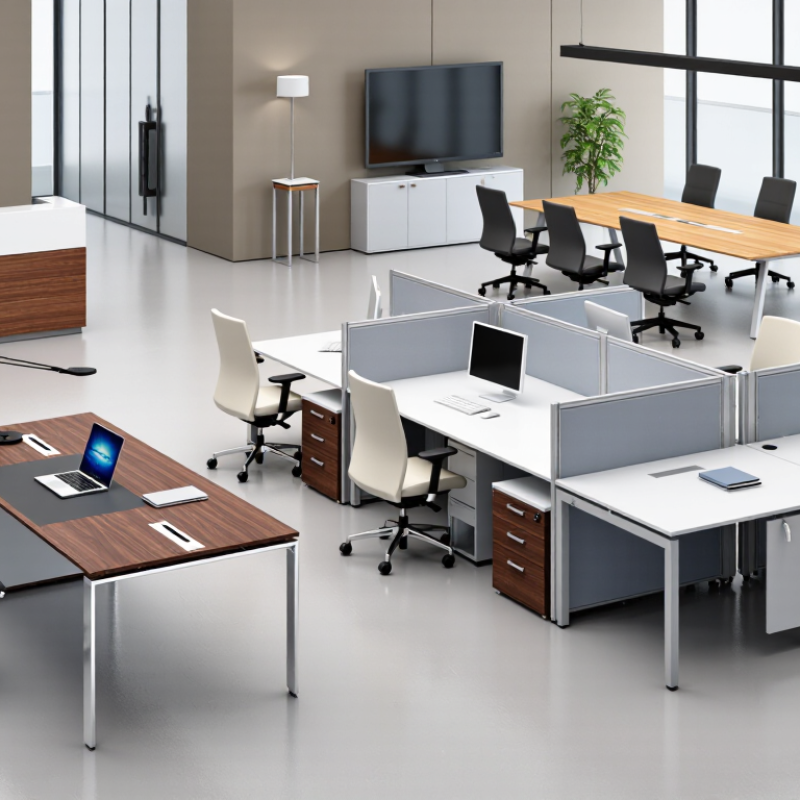
What Are the Top Types of Commercial Desks?

What Defines a Commercial Desk?

What Defines a Commercial Desk?

A commercial desk is built for repeated, shared workplace use—not simply sold to an office. Its defining traits include a stable work surface, durable joints, practical cable routing, and finishes that tolerate daily cleaning.

The ANSI/BIFMA X5.5-2021 standard sets performance tests for desk and table products, including stability and structural strength. A spec sheet should identify applicable testing; “heavy-duty” alone proves little.

Details matter.

Workplace needs also vary. Gensler’s 2024 Global Workplace Survey collected responses from more than 16,000 workers across 15 countries, reflecting a wide range of work settings. That scale supports a useful design point: desks must accommodate different tasks and users, rather than one idealized workstation.

Adjustable height, adequate knee clearance, and reachable power can make a desk more adaptable. Measure the actual room, chair, and equipment before ordering. A desk may pass a durability test and still feel cramped beside a monitor arm or filing unit.

Not always obvious. Check dimensions against real use, and treat survey findings as broad context—not a substitute for local observation.

How Commercial Desks Are Classified by Purpose

What Are the Top Types of Commercial Desks?

How Commercial Desks Are Classified by Purpose

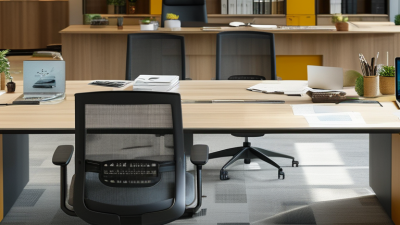
Commercial desks are best classified by the work they support, not just their shape. An executive desk often provides a broad surface for paperwork, a monitor, and in-person discussions. Its drawers can keep frequently used documents close. A compact workstation, by contrast, is designed for daily computer tasks and shared office layouts. Check that the screen, keyboard, and chair fit comfortably before choosing one.

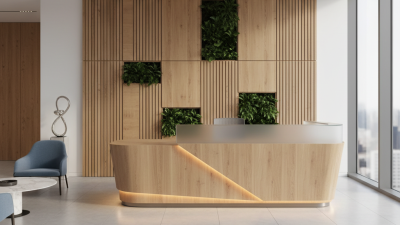
Reception desks serve a different purpose. Their counters can give visitors a clear place to check in, while concealed storage keeps forms and supplies within reach. Conference tables support group work, so consider seating space, power access, and cable routing. Keep cables close. A small detail can prevent clutter across the tabletop.

Some offices choose height-adjustable desks for employees who alternate between sitting and standing. These can suit varied work routines, but adjustment range and stability matter more than a feature list. The labels are useful, but not perfect: one desk may support several tasks. Think about who will use it, what equipment must fit, and how much floor space remains. Measure carefully; even a practical desk can feel awkward when drawers block a walkway.

What Are the Main Types of Commercial Desks?

Commercial desks are designed around the work people do, the space available, and the equipment they use. Common types include workstation desks, executive desks, reception desks, and conference tables. Each serves a different role. A row of compact workstations can help a team share floor space, while an executive desk often provides deeper surfaces for monitors, paperwork, and storage. Reception desks give visitors a clear point of contact, with a counter that can support a computer and everyday supplies.

Conference desks support group discussions, so their shape and size matter. A long rectangular table suits structured meetings, while a round table can make conversation feel less formal. Height-adjustable desks let employees alternate between sitting and standing; check that the frame remains stable at different heights. Not every office needs every type. It is easy to overestimate storage needs, and bulky furniture can make walkways feel tight.

Tips: Measure the room, doorways, and chair clearance before ordering. Note where cables and power outlets sit. For shared work areas, choose durable surfaces that are simple to clean, and test drawers or adjustment controls in person when possible. Small details matter. A desk that looks right in a catalog may feel awkward after a full workday.

How Materials and Configurations Affect Desk Performance

Commercial desks work best when their materials suit the daily workload. High-pressure laminate resists routine scuffs and wipes clean with a damp cloth. It is practical in busy reception areas, though sharp tools can still damage its surface. Solid wood offers a warm, repairable finish, but it may show dents and respond to changes in humidity. A desk that looks sturdy is not always sturdy underneath.

The frame matters just as much. Steel legs can provide stable support for monitors and paperwork, while well-braced wood frames may soften the feel of a shared office. Check the joints and crossbars, not just the desktop thickness. Small choices matter. A narrow top can feel cramped when a keyboard, notepad, and phone compete for space. Cable openings help, but poorly placed ones may leave cords draped across the work area.

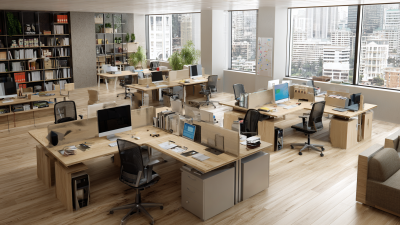
Configuration shapes how people move and collaborate. Straight desks suit individual workstations and line up neatly in rows. L-shaped desks offer room for a second screen or reference files, but need more floor space. Bench configurations can make team areas flexible, yet they may offer less visual privacy. Measure chair clearance and walking paths before ordering; a plan that looks spacious on paper can feel tight once drawers and chairs are in place. I would also test the desk at working height, because small ergonomic mismatches become noticeable over a full day.

What Are the Top Types of Commercial Desks? — How Materials and Configurations Affect Desk Performance

Desk Type Typical Configuration Common Materials Performance Strengths Considerations Best Suited For
Rectangular desk Single straight worksurface; often available in several widths and depths. Laminate or veneer over engineered wood; steel or aluminum legs and frames. Simple to plan in rows or individual offices; a rectangular top uses floor space efficiently and is easy to pair with storage. Provides less side-surface area than an L-shaped desk. Cable management and modesty panels vary by configuration. Open-plan offices, reception workstations, training rooms, and general-purpose work areas.
L-shaped desk Two connected work surfaces arranged at a right angle; may be reversible or handed. Laminate or veneer tops with metal frames; some models use solid wood components. Creates separate work zones for a monitor, paperwork, or meetings while keeping frequently used items within reach. Requires more floor area than a straight desk. Confirm the return orientation, room clearance, and access to power before installation. Private offices, project work, and roles that need multiple work zones.
U-shaped desk Central work surface with two side returns, forming a broad three-sided workstation. Laminate or veneer panels, commonly supported by metal or engineered-wood components. Offers substantial work and storage space, with separate areas for computer work, documents, and visitor interaction. Has a large footprint and can restrict movement in compact rooms. Check return depth and chair clearance carefully. Executive offices, administrative work, and tasks involving extensive paperwork or equipment.
Height-adjustable sit-stand desk One or two motorized legs, or a manual adjustment system, supporting a height-adjustable top. Laminate or veneer worksurface with a steel frame; electric models include motors and a control unit. Allows users to alternate between sitting and standing. Performance depends on adjustment range, frame stability, lifting capacity, and operating noise. Requires access to power for most motorized models. Observe the manufacturer's load rating and account for monitor arms and other mounted equipment. Individual workstations and teams seeking flexible work postures.
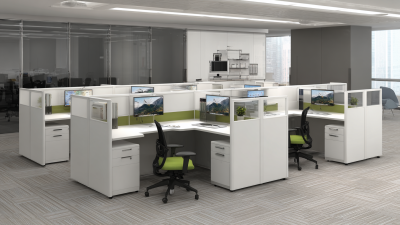
Bench desk Two or more workstations arranged along a shared beam or common frame; may include screens and shared cable routes. Laminate tops with steel or aluminum frames; privacy screens may use fabric, plastic, or glass. Supports efficient, consistent workstation layouts and can simplify shared cable routing across a team. Shared structures may limit individual layout changes. Privacy, noise control, and personal storage depend on added components. Open-plan offices, collaborative teams, and high-density work areas.
Conference table Long rectangular, boat-shaped, or modular surface with a central or distributed base. Veneer, laminate, solid wood, or glass tops with metal or wood bases. Provides a shared surface for meetings; integrated power and data access can support laptops and presentation equipment. Size and shape affect seating capacity, circulation, and sightlines. Glass surfaces show fingerprints and may need frequent cleaning. Meeting rooms, boardrooms, and shared collaboration spaces.
Mobile or folding desk Lightweight or wheeled desk; folding models have legs or tops that collapse for storage. Laminate or plastic tops, with steel or aluminum frames and locking casters on mobile models. Easy to rearrange or store when a room has changing functions; locking wheels can help keep a desk in place during use. Often offers less mass and storage than a fixed desk. Check caster locks, frame stability, and the specified load capacity. Training rooms, temporary work areas, multipurpose spaces, and flexible layouts.

Selection note: Material and construction details vary by model. Compare the stated load capacity, dimensions, warranty terms, cable-management options, and cleaning requirements before purchase.

How to Match a Desk Type to a Workplace

Commercial desks work best when their shape supports the way people actually use a room. Bench desks suit teams that share space and talk often. They make efficient use of floor area, but can leave little privacy for focused calls. Add modest desk screens if conversations become distracting.

For individual offices, a rectangular desk offers a clear work surface for a monitor, documents, and a task light. An L-shaped desk can separate computer work from paperwork, though it may crowd a narrow room. Measure the chair’s pull-back space, too. That detail is easy to miss. Sit-stand desks may suit employees who benefit from changing posture during the day; check that screens and cables remain comfortable at both heights.

Reception desks need a different balance: a welcoming front, a practical work surface, and concealed storage for supplies. In open-plan areas, consider how desk placement affects walkways and noise, not just headcount. A small team may prefer shared benches, while roles involving confidential discussions may need enclosed offices. There is no perfect layout on paper. Test a floor plan with actual chair sizes, storage needs, and daily routines before ordering.

We have the largest selection of new, remanufactured and quality pre-owned office furniture in the tri-state area.  We ship nationwide with regular deliveries to Pittsburgh, Erie, Uniontown, Washington, Akron, Cleveland, Beckley, Charleston, Clarksburg, Huntington, Morgantown, Parkersburg, Wheeling, Ashland, Ironton, and Lexington.

PITTSBURGH, PA

Showroom & Corporate Offices
1 Sexton Road
Pittsburgh, PA 15136

Local: (412) 771-0760
Fax: (412) 771-0764

WHEELING, WV

By Appointment Only
Local: (304) 232-0727

CHARLESTON, WV

Showroom
125 Lakeview Drive, Suite G
Cross Lanes, WV 25313

Local: (304) 345-3773
Fax: (681) 265-9039

MORGANTOWN, WV

By Appointment Only
Local: (304) 381-9119

HOURS OF OPERATION:

MONDAY-FRIDAY: 9am-5pm
SATURDAY: By Appointment